Free laser cut Christmas ornament files (SVG and DXF) and how to personalize them
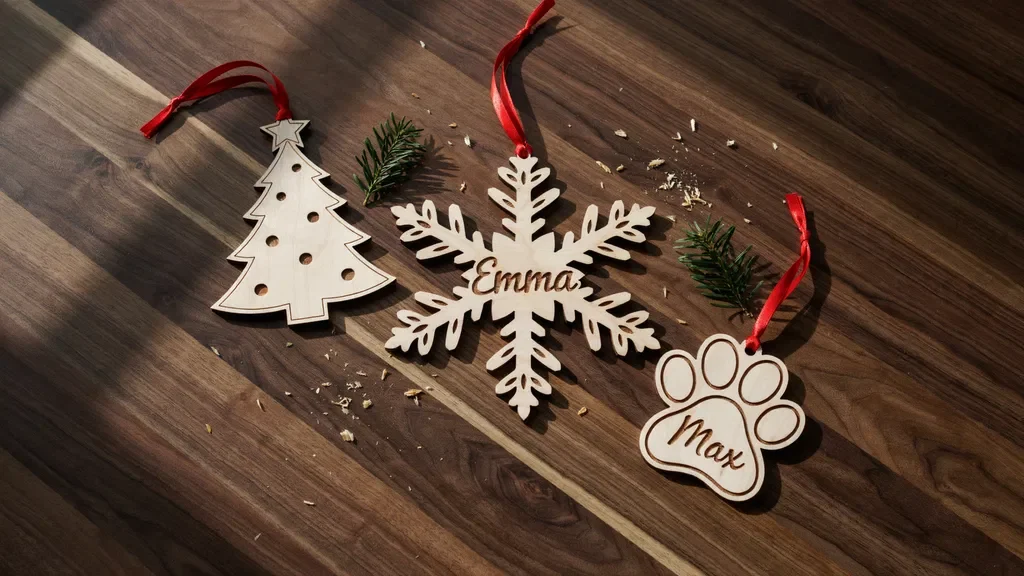
Christmas is the busiest cutting season of the year. Makers want ornaments they can cut tonight, and Etsy buyers want them personalized. This page gives you free files to start with, shows how to add a name without breaking the design, and lists the checks that save a sheet of plywood.
Free Christmas files you can cut today
Both files below are free with a free account. Each download is a ZIP with SVG, DXF, EPS, PDF and PNG files.
- Christmas tree laser cut design: a tree you can cut as an ornament or scale up as a wall piece.
- Winter village silhouette: a village skyline for a mantel piece, a lantern panel or a window sign.
Want more? The Cut File Shop has personalized ornament sets, Santa and Christmas signs, and a tree of life ornament for $2 each, or every design with Pro.
Make a personalized name ornament in a minute
Names are what turn a $3 ornament into a $15 one. The hard part is keeping every letter attached, so the name doesn't fall out when you lift the piece.
- Open the name ornament maker, or a themed one: snowflake name ornament, paw print ornament for pet owners, or the Santa hat name tag.
- Type the name, pick a font and set the size in millimetres or inches.
- The maker welds the letters into one piece and adds a hanging hole. It flags parts that are too thin for your material.
- Download SVG for Cricut and Glowforge, or DXF for LightBurn and xTool Creative Space.
Five checks before you cut
These catch most failed ornaments:
- Real size. Open the file and check the width in your software. If it comes in at the wrong size, read why SVGs import at the wrong size.
- One closed outline. A gap in the outer path means the laser can't cut the piece free. See how to fix open paths.
- No double lines. Traced files often have two outlines on top of each other, so the laser cuts twice and burns the edge. See why a laser cuts the same line twice.
- Thin parts. On 3 mm plywood, anything thinner than about 1.5–2 mm can snap. Test your own material, because this depends on wood, laser and focus.
- Hanging hole away from the edge. Leave at least 2–3 mm of material around it.
Turning your own drawing or photo into an ornament
Have a pet photo or a child's drawing? Load it into Laser Cut Studio. It traces in your browser, separates cut lines from engraving, and flags loose pieces and thin parts before you download. For engraving the photo itself instead of cutting it, start with laser photo preparation.
Selling ornaments this season
If you sell on Etsy or at markets, check the licence of every file you use. Our terms let you sell physical items you make from Cut File Shop designs, such as ornaments and signs, but not the files themselves. If you need a design nobody else has, our designers can draw a custom cut file for you.
Questions
What material do most people use for ornaments? 3 mm (1/8 in) birch plywood is the usual choice for laser ornaments. Acrylic and cardstock work too; for cardstock, use the SVG with a Cricut.
Can I cut these on a Cricut? Yes. Use the SVG. Thin wood (basswood up to about 2 mm) needs a Cricut Maker and the knife blade.
Do the files work in xTool Creative Space and LightBurn? Yes. Import the SVG or the DXF. Both keep the size in millimetres.